 JWW Bridge
When a JWW file lands in your inboxOpen it, measure it,
send it back. On your Mac.
No Windows and no Jw_cad needed. Check the drawing right away and reply in the format the other side can use.

 1LDK 平面図.jww
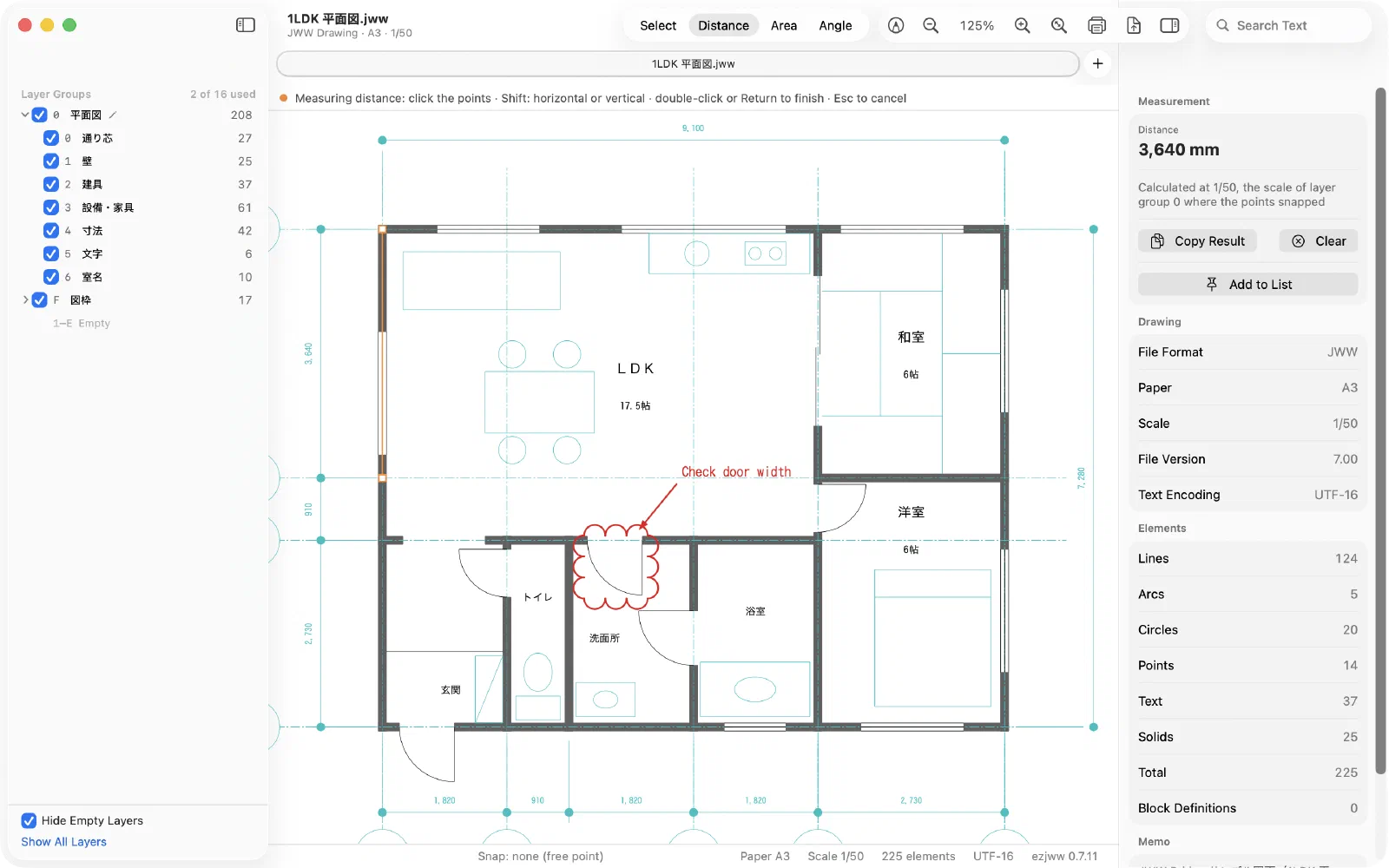
JWW Bridge in 30 seconds
Three steps
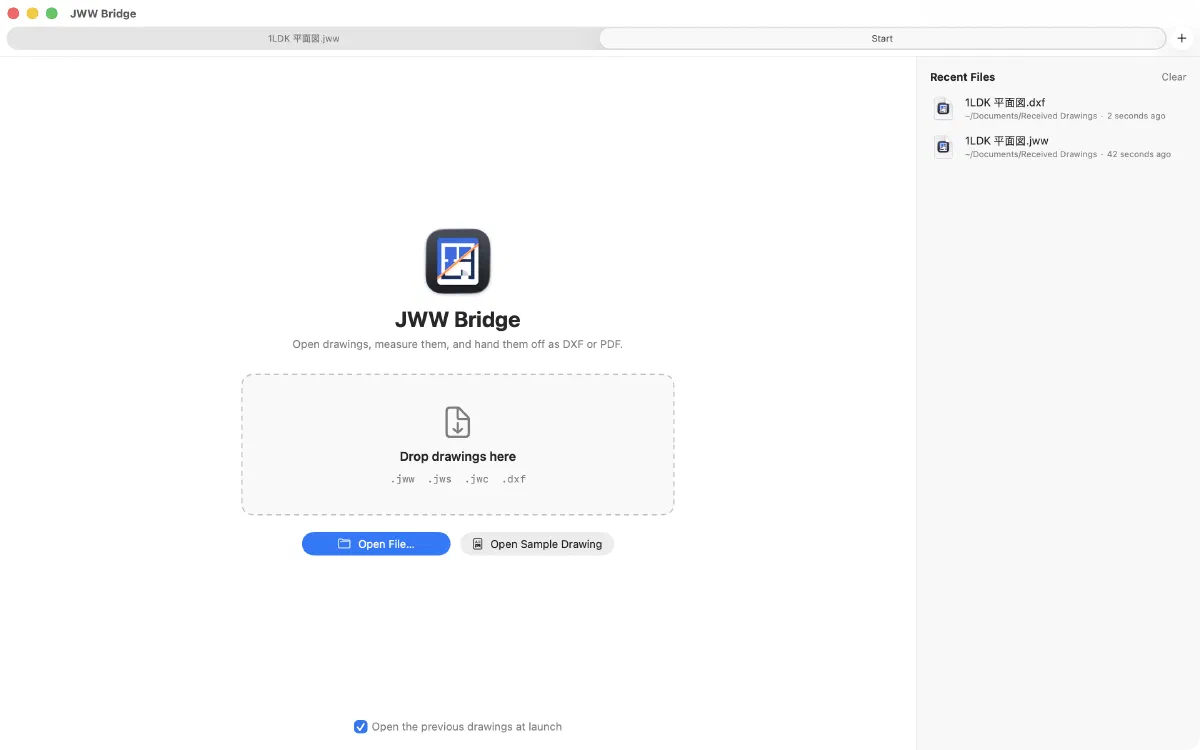
Double-click to open
Double-click the .jww file you received. Or press the Space bar in Finder for a quick look.
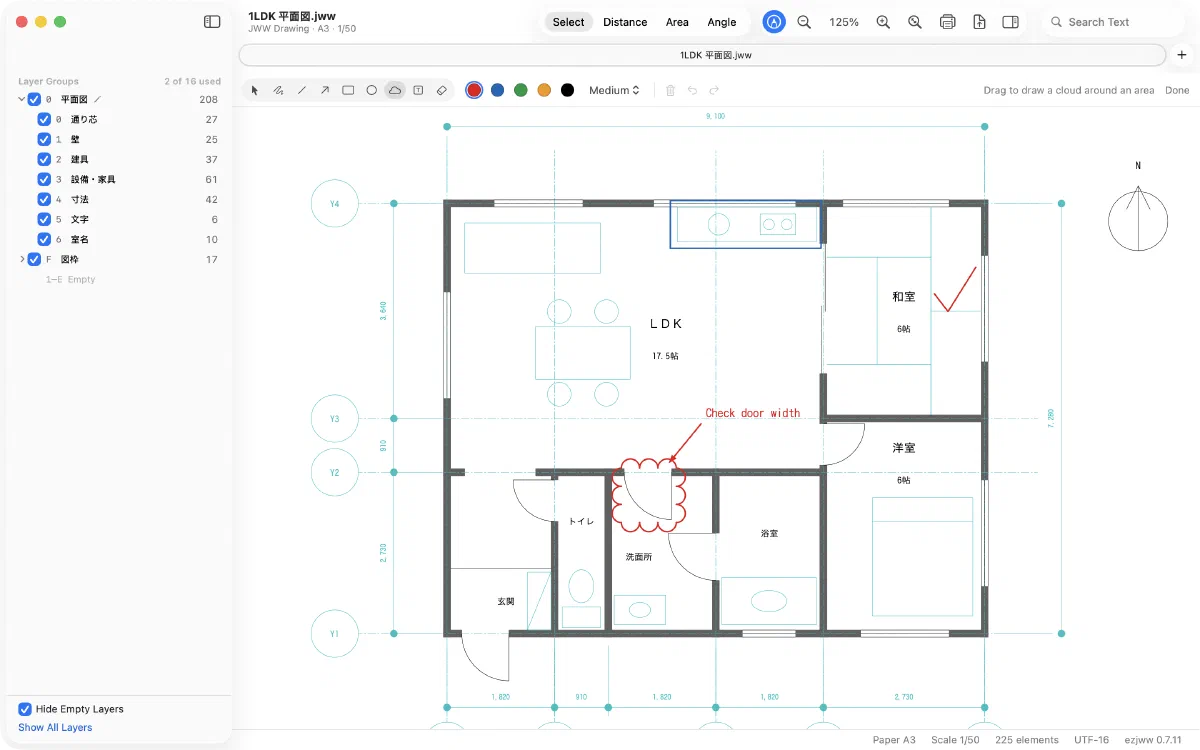
Measure and check
Measure dimensions and areas on the spot, and mark up questions right on the drawing.
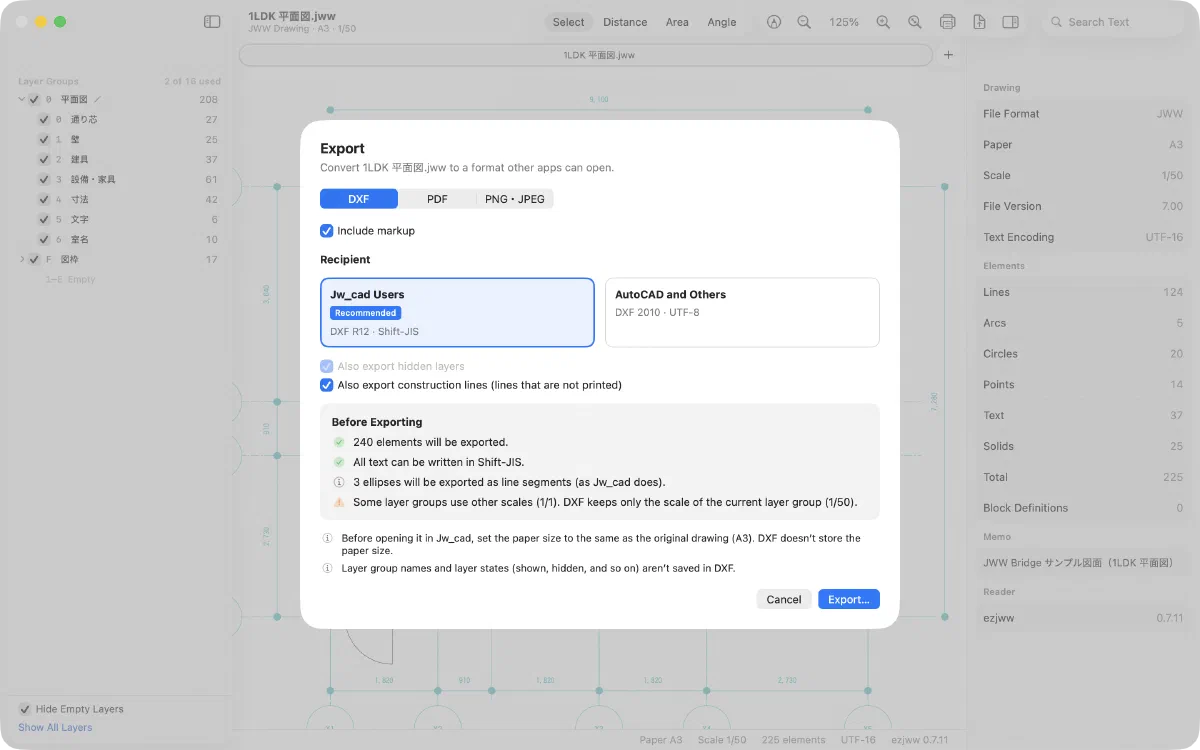
Send it back the right way
"Jw_cad Users" DXF for people on Jw_cad; "AutoCAD and Others" DXF or PDF for everyone else.
Which DXF should I choose?
Will the recipient open it in Jw_cad?
DXF R12 · Shift-JISDXF R12 · Shift-JIS. Tested in Jw_cad: Japanese text, layers and line types come through correctly.
DXF 2010 · UTF-8DXF 2010 · UTF-8. Tested in AutoCAD-based software: geometry, text and layers are read correctly.
Not sure? Choose Jw_cad Users.
Made for
Architects and designers
You design with CAD on a Mac and exchange drawings with builders and partners who use Jw_cad.
Builders and renovators
You need to check dimensions and areas on received drawings, right on your Mac.
Teams and partners abroad
You work on drawings from Japanese projects and want the app in your own language.
Bulk deliveries
You need to convert a folder full of JWW files to DXF or PDF at once.
More you can do
PDF and printing to scale
Create PDFs and print at the drawing's scale, such as 1:50 or 1:100. Line weights are matched to how Jw_cad prints. Select an area on the drawing, or split a large drawing across several pages.
Measure at the drawing's scale
Distances, areas and angles are shown in real-world units, using the drawing's scale. Snap to endpoints, intersections, midpoints and more, and lock to horizontal or vertical.
- Measure areas along arcs, too
- Keep results in the Measurement List and copy them all at once
Batch-convert a whole folder
Convert every JWW file in a folder to DXF or PDF in one go, or turn a batch of DXF files into JWW. Subfolders are included, and existing files are never overwritten.
Convert DXF to JWW
Turn DXF files from other CAD software into JWW drawings for people who use Jw_cad. For DXF files exported from Jw_cad, paper size, scale, layer names, colors and line types are restored.
Markup
Add notes with freehand lines, straight lines, arrows, rectangles, circles, revision clouds and text. The original JWW stays unchanged, and your markup can go along when you export PDF or DXF. You can also export the markup on its own to exchange it with others.
Export PNG and JPEG
Turn a drawing into an image for documents, email or chat.
Check files right in Finder
Press the Space bar in Finder to see a drawing without opening the app (Quick Look). File icons show the drawing too, so the file you want is easy to spot.
Six languages
Japanese, English, Simplified Chinese, Traditional Chinese, Vietnamese and Korean. Team members and partners abroad can check drawings in the same app.
Your drawings stay on your Mac
Viewing and converting happen entirely on your Mac. Drawings are never uploaded, no usage data is collected, and no account is needed.
Open and view
Double-click a .jww file to open it. .jws and .jwc files open too. Keep several drawings in tabs, and pick up where you left off the next time you open the app.
What we have tested
We open the exported files in Jw_cad (v10 and 8.25a) and in AutoCAD-based software to check them.
DXF files exported with "Jw_cad Users" match, item by item, the DXF files Jw_cad itself exports
DXF files exported with "AutoCAD and Others" open in AutoCAD-based software with all geometry, text and layers shown correctly
Difference in PDF line weights compared with PDFs made in Jw_cad
Position difference from the original when a JWW converted from DXF is opened in Jw_cad
These figures come from our test drawings during development and are not a guarantee for every drawing. Please also check important drawings in the recipient's software.
During the trial, after purchase, and after the trial
The download is free, and every feature works for the first 7 days. After the trial, you can still open and view drawings for as long as you like.
| Feature | Trial7 days | PurchasedOne-time purchase | After the trialIf not purchased |
|---|---|---|---|
| View | |||
| Open drawings (.jww, .jws, .jwc) | Included | Included | Included |
| Zoom, pan and switch layers | Included | Included | Included |
| Drawing info | Included | Included | Included |
| Text search | Included | Included | Not included |
| White or black background | Included | Included | Not included |
| Quick Look and Finder thumbnails | Included | Included | Not included |
| Measure | |||
| Measure distances, areas and angles | Included | Included | Not included |
| Hand off | |||
| DXF export (two presets) | Included | Included | Not included |
| PDF export and printing | Included | Included | Not included |
| PNG and JPEG export | Included | Included | Not included |
| Batch conversion | Included | Included | Not included |
| Convert DXF to JWW | Included | Included | Not included |
| Markup | Included | Included | Not included |
The trial start date is recorded for each Apple Account. Reinstalling the app does not extend the trial.
Buy once and keep it. No subscription.
- Includes a free 7-day trial
- Use it on any Mac signed in with the same Apple Account with Restore Purchase
- No limit on the number of conversions
- Family Sharing is not supported
FAQ
Do I need Jw_cad or Windows?
No. JWW Bridge opens, measures and exports JWW drawings on its own. You don't need Windows or a virtual machine.
Can I edit drawings?
No. JWW Bridge is for viewing, measuring and handing off drawings. You can't draw lines or save over a JWW file. Markup is saved separately from the original drawing.
What happens when the trial ends?
You can keep opening and viewing drawings. Measuring, exporting, printing, Quick Look and other features become available again when you purchase.
Are my drawings sent anywhere?
No. Everything happens on your Mac, and no usage data is collected.
Which Macs are supported?
Macs with Apple silicon (M1 or later) running macOS 15 or later. Intel-based Macs, iPhone and iPad are not supported.