 JWW Bridge
Convert many drawings at once
Steps
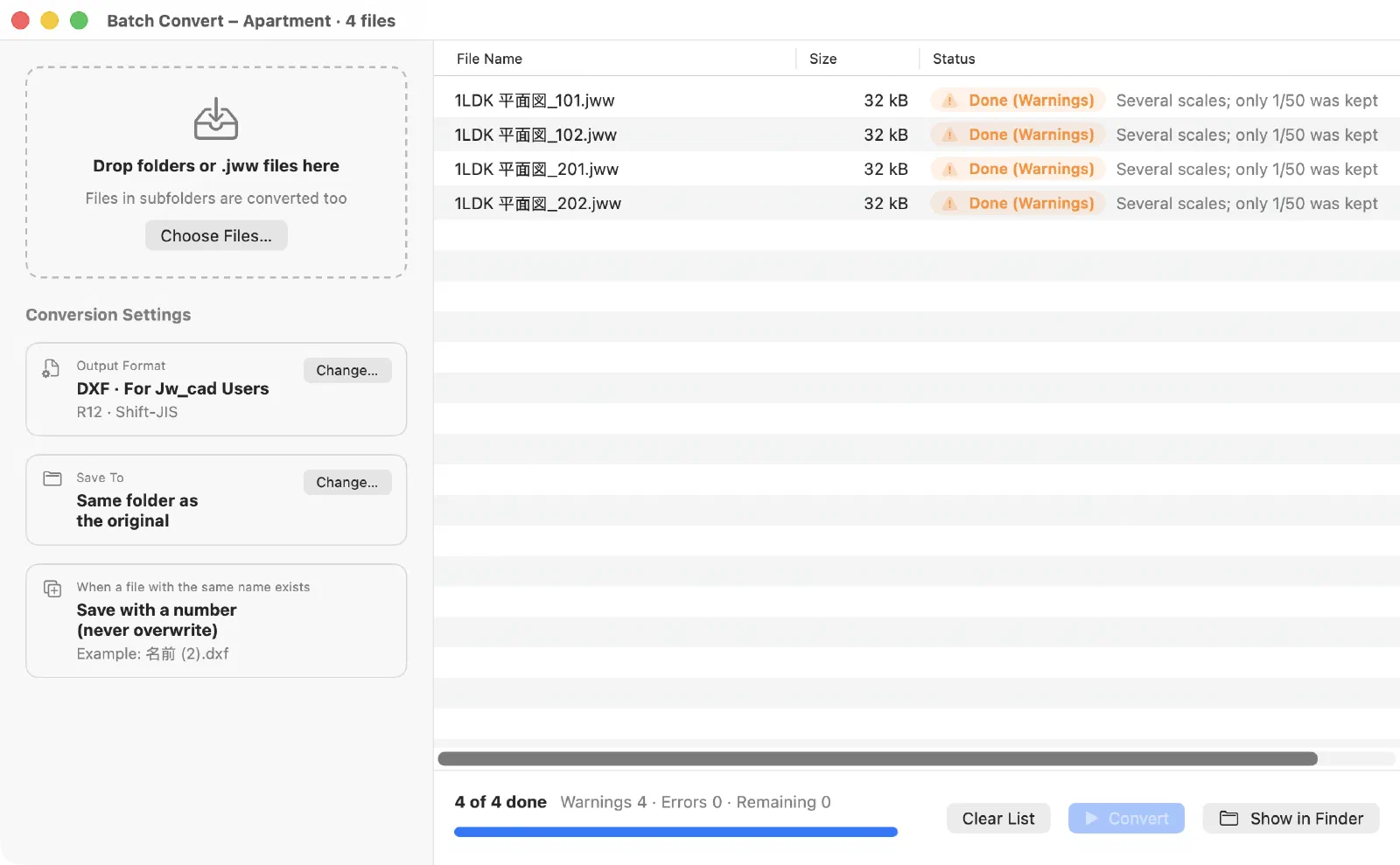
- Choose File > Batch Convert… (⌥⌘B).
- Drop folders or .jww files on the left. Files in subfolders are converted too.
- Choose the Output Format: DXF (Jw_cad Users or AutoCAD and Others), PDF, or JWW (from DXF).
- Choose where to Save To: the same folder as the original, or a folder you choose.
- Start the conversion. When it’s done, click Show in Finder to see the results.
Good to know
- If a file with the same name already exists, the new file is saved with a number. Nothing is overwritten.
- Drawings with markup are converted with their markup.
- With JWW (from DXF), the DXF files in the folder are converted to JWW. The paper and scale are chosen automatically (see Convert DXF to JWW).
- Drawings that need attention are marked “Done (Warnings)”.
Last updated: 2026-11-10 · Still stuck? Visit the support page.