 JWW Bridge
Export JWW to DXF
DXF is a drawing format that most CAD software can read. In JWW Bridge, you choose the software your recipient uses, and it exports a DXF file they can read easily.
Steps
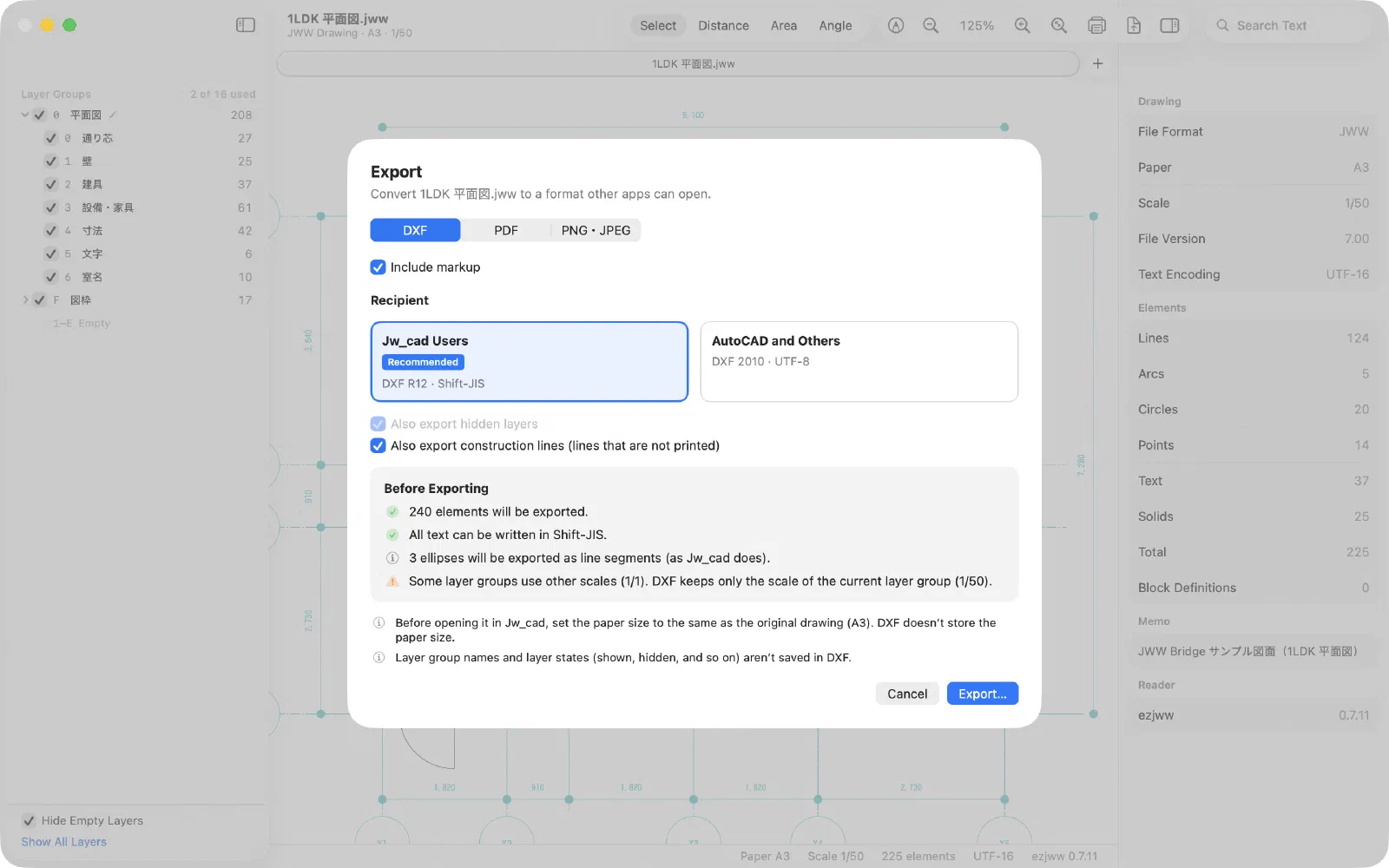
- Open a drawing and choose File > Export… (⇧⌘E).
- Select DXF at the top.
- Under Recipient, choose Jw_cad Users or AutoCAD and Others. If you’re not sure, choose Jw_cad Users.
- If needed, turn on “Also export hidden layers”, “Also export construction lines (lines that are not printed)” or “Include markup”.
- Check Before Exporting for anything DXF cannot carry.
- Click Export…, then choose where to save the file.
Which one should I choose?
| Recipient | Format | Encoding | Best for |
|---|---|---|---|
| Jw_cad Users (Recommended) | DXF R12 | Shift-JIS | The recipient opens it in Jw_cad, or in older CAD software, and the drawing contains only Japanese text |
| AutoCAD and Others | DXF 2010 | UTF-8 | The recipient uses AutoCAD-based software, or the drawing contains Chinese, Korean or other non-Japanese text |
DXF files exported with Jw_cad Users have been tested in Jw_cad v10 and 8.25a: Japanese text, layers and line types come through correctly. DXF files exported with AutoCAD and Others have been tested in AutoCAD-based software: geometry, text and layers are read correctly.
What comes through
Lines, circles, arcs, text (including vertical text), solids and blocks; layers, line types and colors (as close as possible). Markup goes on a layer named “朱書き”.
What DXF cannot carry
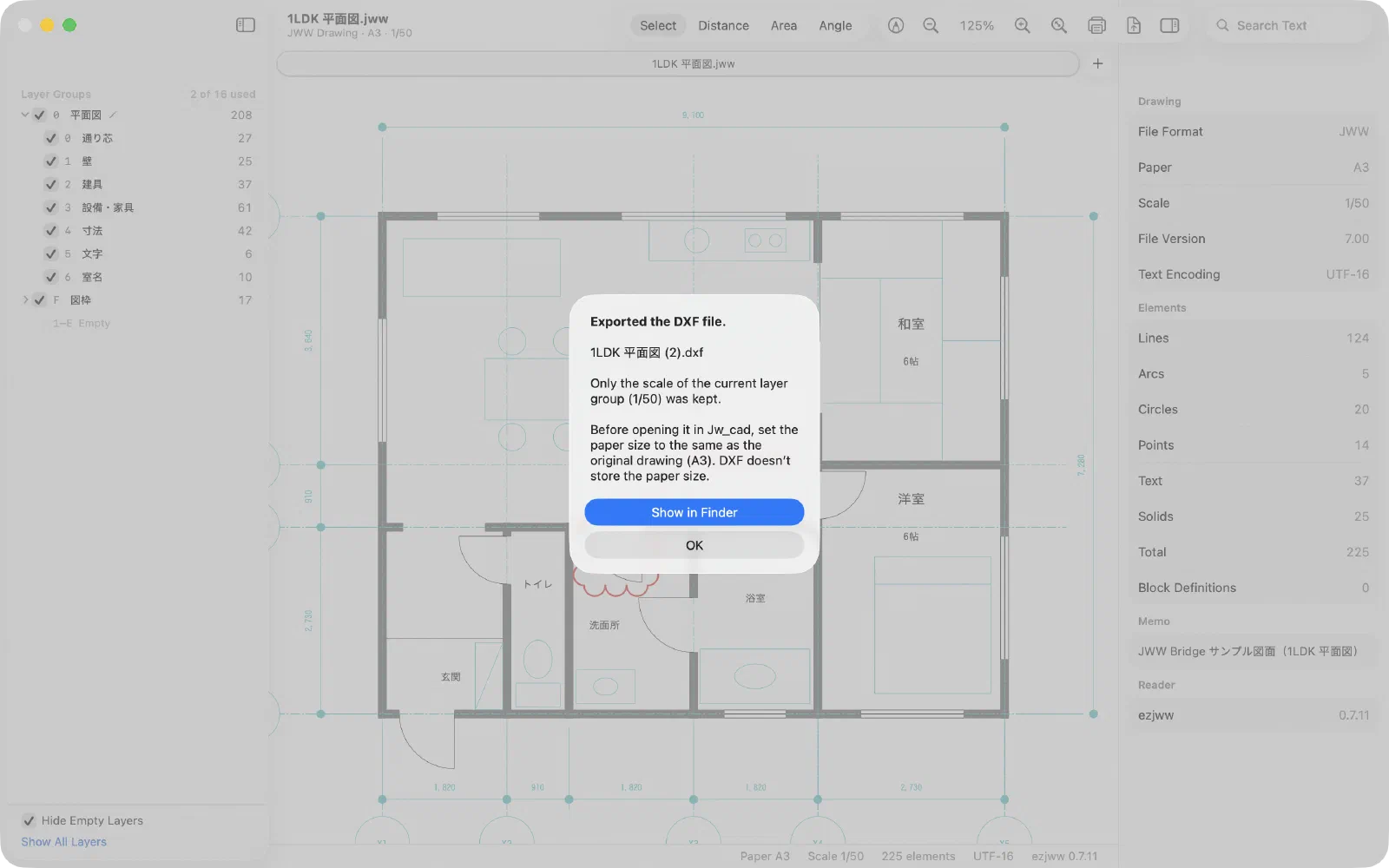
Images, layer group names and multiple scales (only the current layer group’s scale is used). Before Exporting, and the notice after exporting, tell you about each of these.
Please note
- Before opening the DXF in Jw_cad, set Jw_cad’s paper size to match the original drawing. DXF does not store the paper size, so Jw_cad picks a scale that fits the paper currently set.
- When Jw_cad reads a DXF file, colors may change to similar ones, and layer group names and layer states are not kept. The same happens with DXF files exported by Jw_cad itself. For Jw_cad users, sending the JWW file itself is the most reliable option.
- If Japanese text is garbled, see When Japanese text in a DXF is garbled.
- To convert many drawings, use Batch conversion.
Last updated: 2026-11-10 · Still stuck? Visit the support page.